HyperClick
A downloadable tool for Windows
The autoclicker that really clicks at the speed you set. Mouse clicks, keyboard keys, or both at once: fast, light and easy to use.
Why HyperClick?
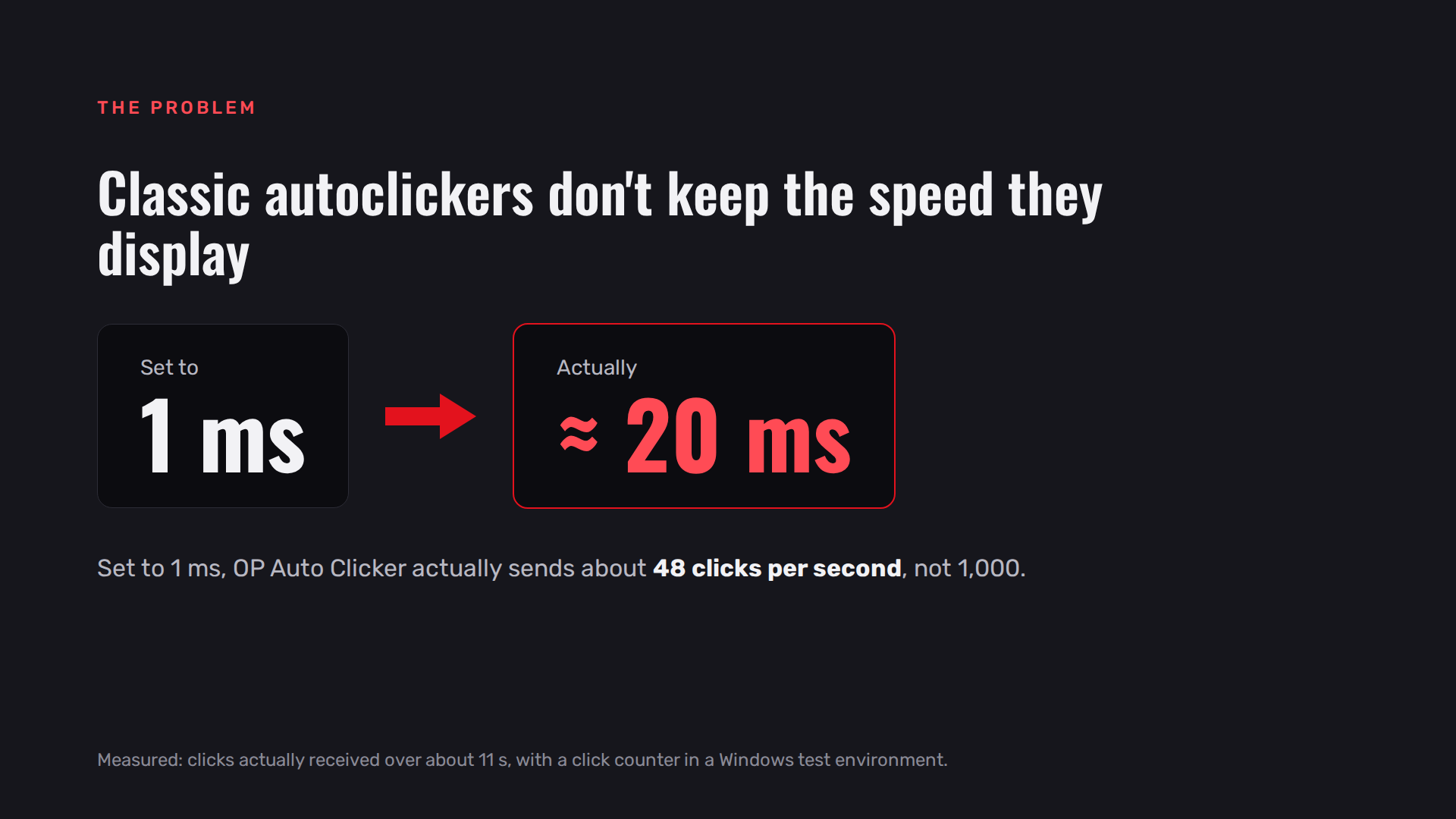
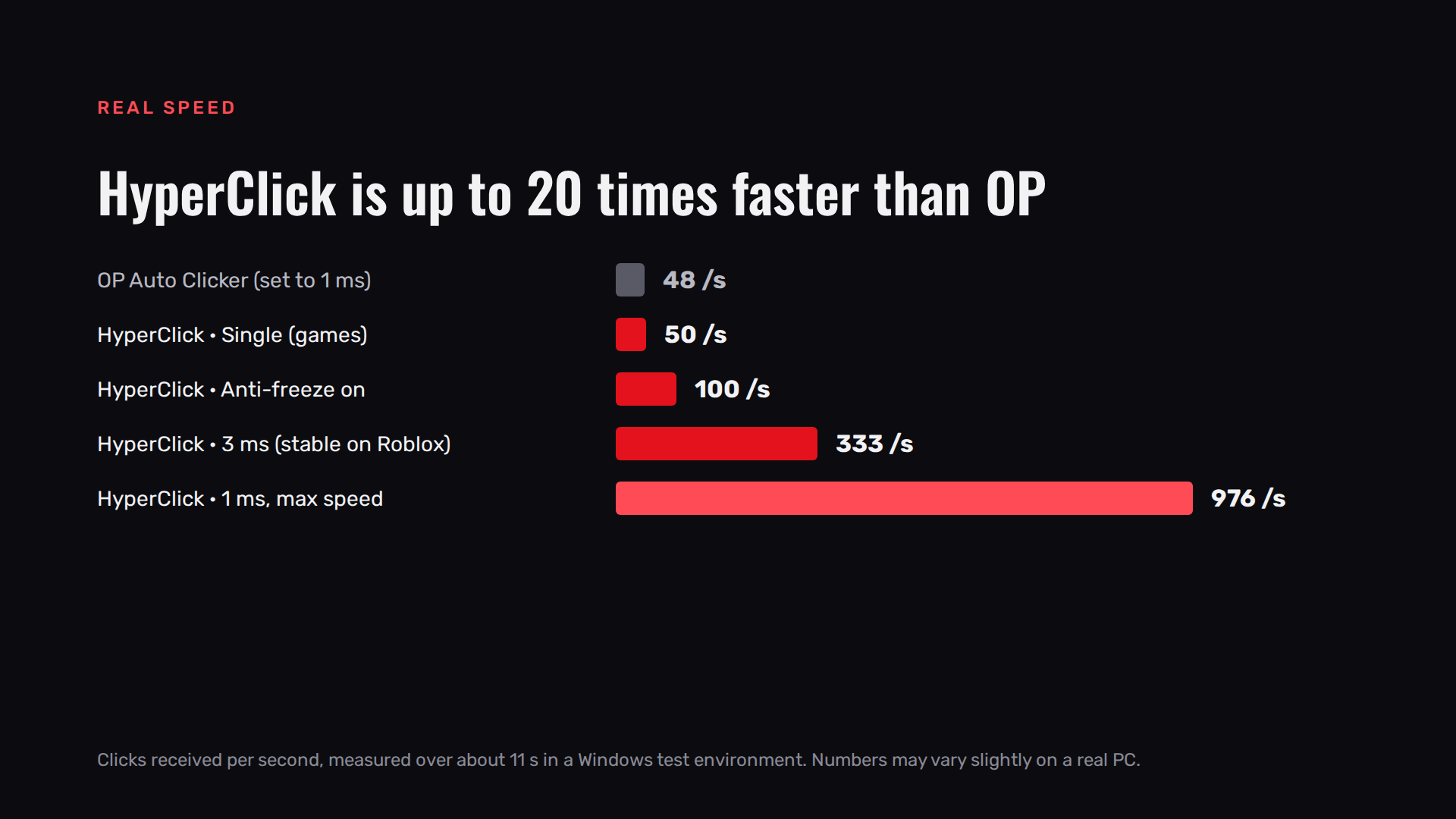
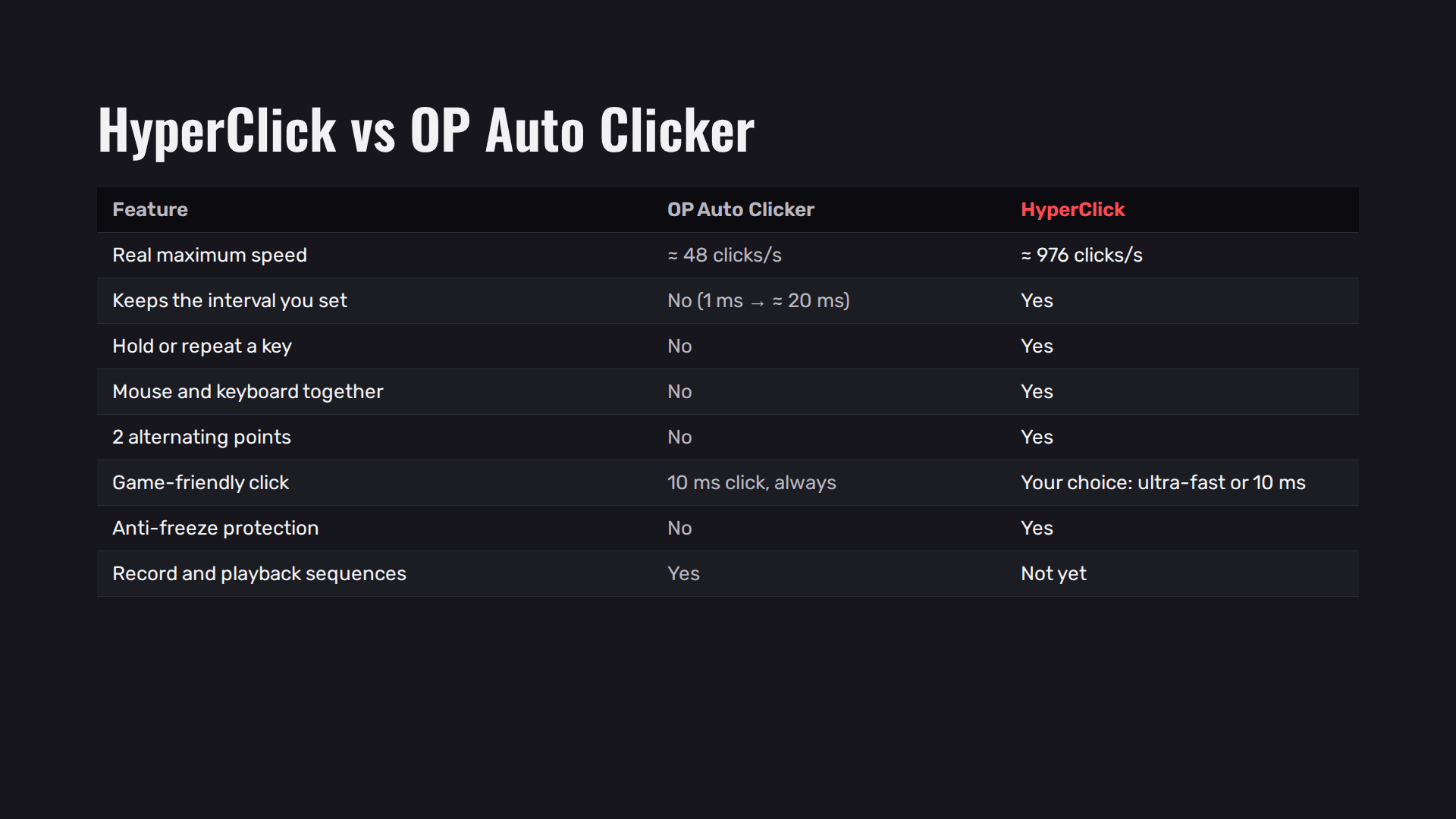
Many autoclickers show "1 ms" but click much slower in reality. In our tests, OP Auto Clicker set to 1 ms sent about 48 clicks per second. HyperClick holds the interval you choose: up to about 976 clicks per second at 1 ms.
Features
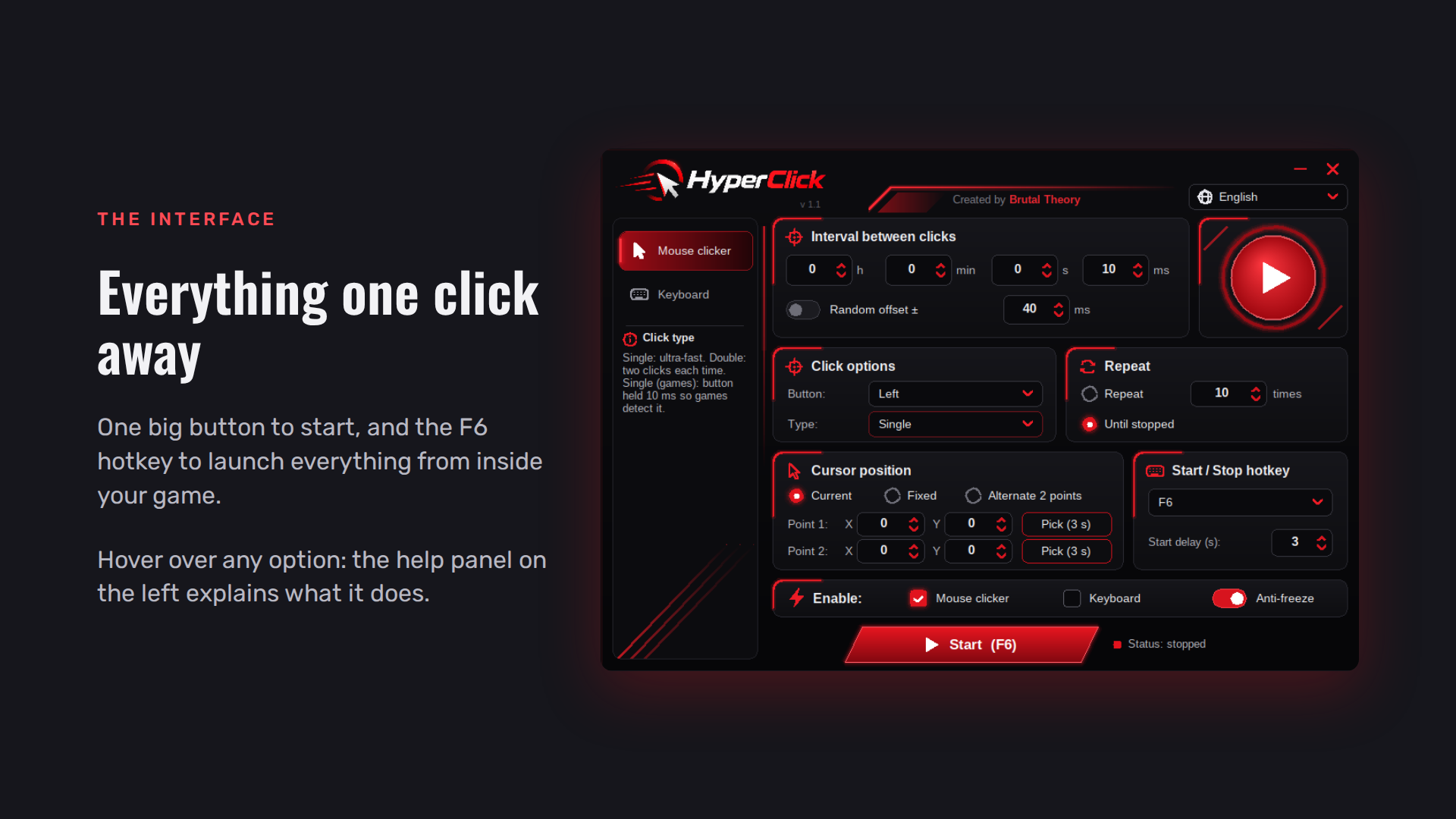
- Mouse autoclicker: left, right or middle button, single or double click, any interval from 1 ms to hours, optional random offset.
- Keyboard: hold a key down with no time limit, or press it again and again.
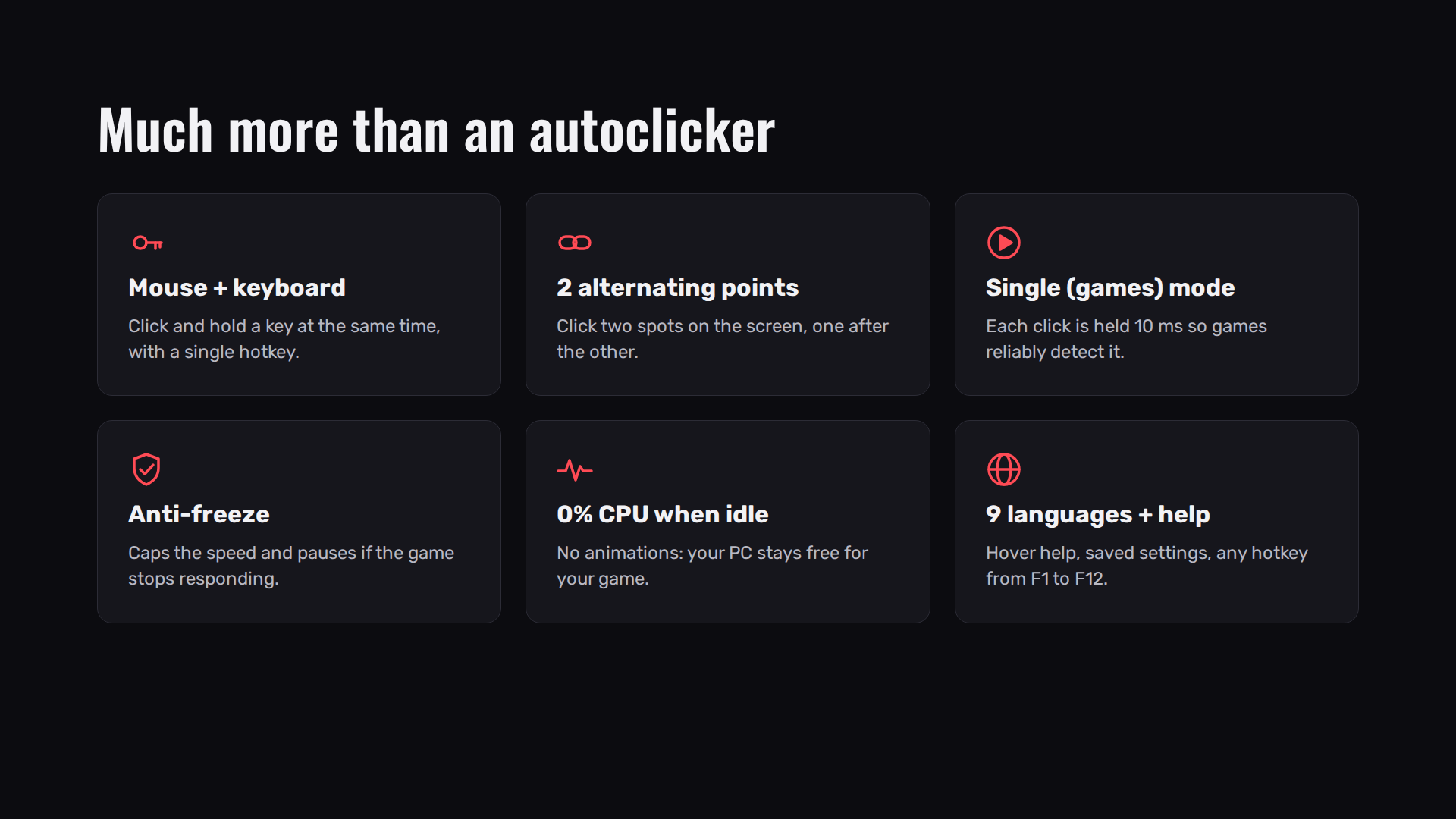
- Mouse and keyboard together, started with a single hotkey.
- Click where you want: at your cursor, on a fixed point, or alternating between 2 points.
- Single (games) click type: each click is held for 10 ms, so games that read the mouse once per frame can detect it.
- Anti-freeze: caps the speed at 100 actions per second and pauses if the game stops responding.
- Start / Stop hotkey from F1 to F12. It starts instantly, even in game.
- Almost 0% CPU when idle: no animations, nothing running in the background.
- 9 languages, help on every option when you hover over it, and settings saved automatically.
How to use
- Set the interval and your options.
- Under Enable, tick Mouse clicker, Keyboard, or both.
- Go to your game and press F6 (or your hotkey) to start. Press it again to stop.
Tips
- Your game does not register the clicks? Set Click type to Single (games).
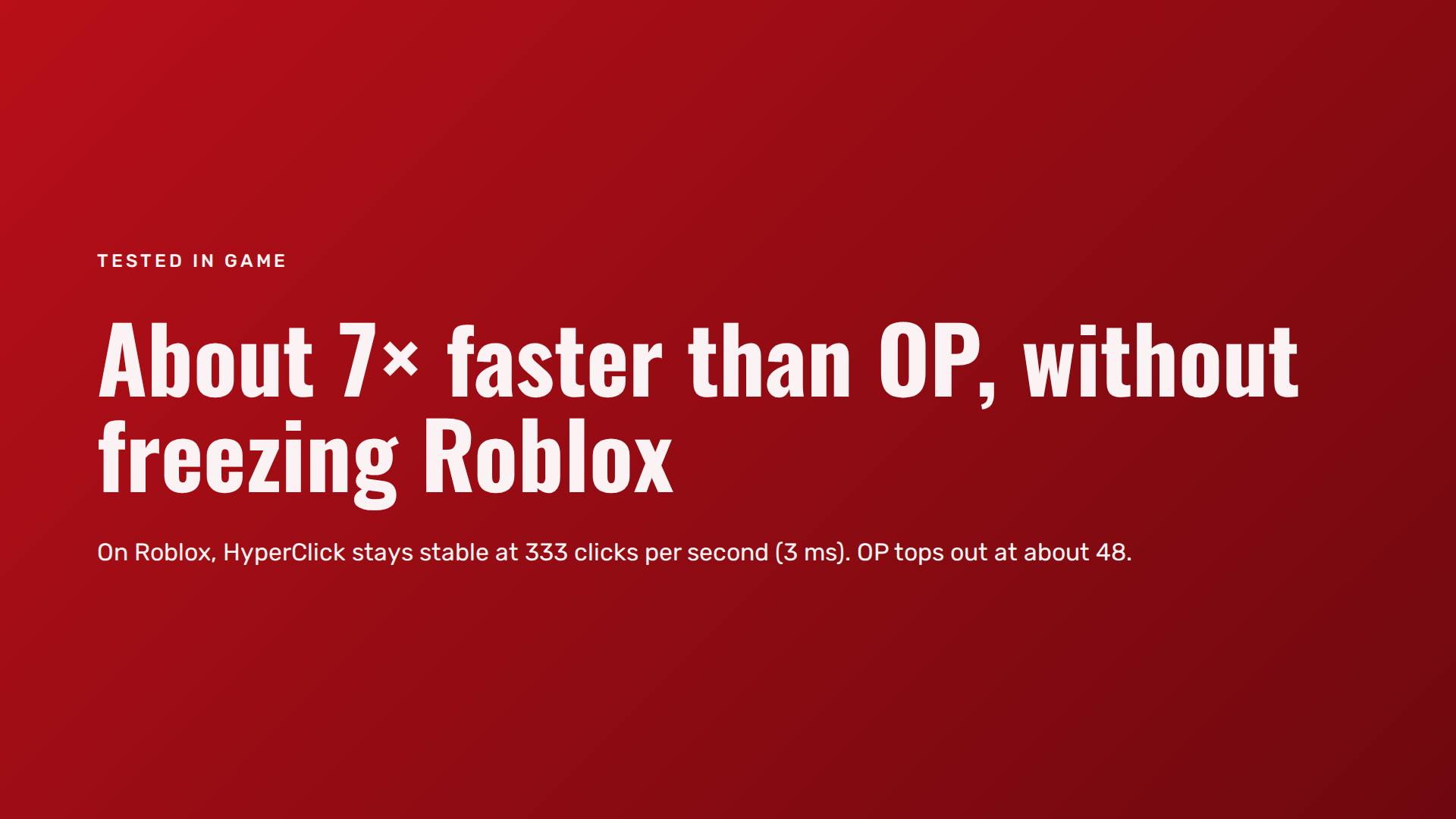
- Your game freezes at high speed? Keep Anti-freeze on, or use a longer interval. In our tests, 3 ms (about 333 clicks per second) was stable on Roblox.
Requirements
Windows 10 or 11 (64-bit). One .exe file, nothing to install.
Good to know
- Windows SmartScreen or your antivirus may show a warning because the file is not code-signed. This is common for small independent tools.
- Some online games do not allow macros or autoclickers. Check the rules of each game before using HyperClick: you are responsible for how you use it.
Version 1.1 — Created by Brutal Theory
Download
Development log

Comments
Log in with itch.io to leave a comment.
This is a great auto-clicker with a lot of useful features. The interface is simple to understand, and setting up the click interval and hotkeys only takes a few seconds. I especially like that it supports both mouse and keyboard actions, which makes it much more versatile than a basic auto-clicker.
The software runs smoothly without using much CPU, and the anti-freeze feature is a nice touch. I also appreciate the option to choose different click types and customize the hotkeys.
Overall, it’s lightweight, reliable, and does exactly what it’s supposed to do. Definitely worth trying if you’re looking for a simple but powerful auto-clicker! :)
Great auto-clicker, works perfectly and saves me a lot of time on various tasks. Highly recommended!